
BIGOS
Every growth engine in one registry
Enable only what you need. Each engine owns a clear job — from scored tenders to validated outreach to document-trained support.
Compare best-fit teams, inputs, and outcomes before you turn anything on.
Pick the engine that matches the bottleneck
TenderBuzz
“Chase scored tenders — not every listing that lands in a shared inbox.”
The five BIGOS engines
Open any card for a deeper walkthrough of workflows and outcomes.
TenderBuzz
Tender & trade intelligence
TenderBuzz discovers and scores global procurement opportunities so your team chases the right bids — not every bid.
Learn more →
RankForce
AI SEO automation
RankForce runs an end-to-end SEO pipeline: crawl, analyze, find keywords, study the SERP, close content gaps, and generate optimized drafts for human review.
Learn more →
Market-Xora
B2B sales outreach & campaigns
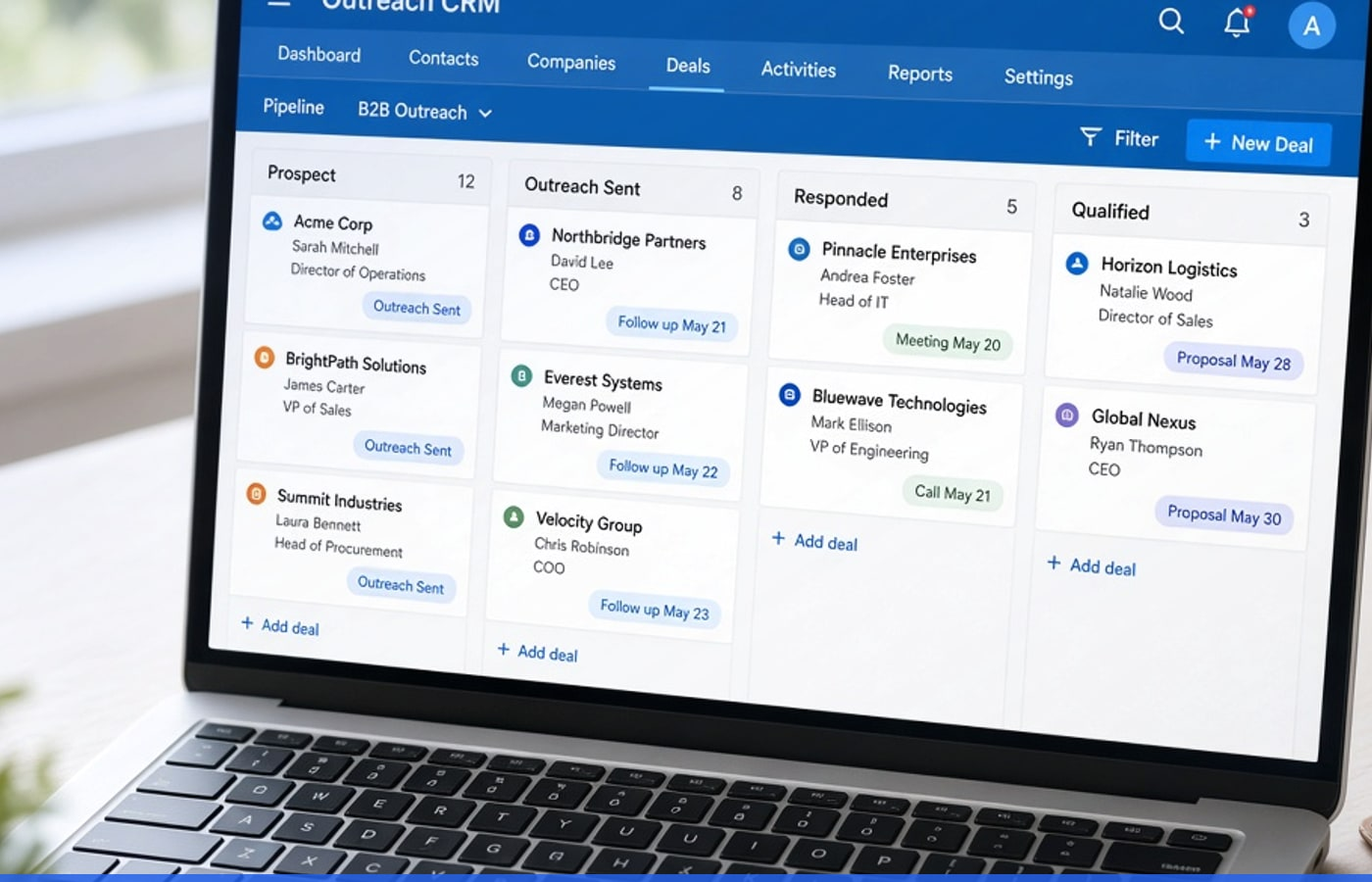
Market-Xora finds business contacts by industry and region, validates emails, and runs compliant outbound campaigns — with multi-mailbox sending, pacing, follow-ups, and reply tracking.
Learn more →
MasterBot
AI customer support chatbot
MasterBot is a RAG chatbot trained on your PDFs. It answers from your company knowledge base first, and hands off to a human when needed.
Learn more →
Adpulse
Google Ads & analytics
Adpulse brings Google Ads and analytics into BIGOS — paid performance sits next to SEO, outreach, and tenders on one dashboard.
Learn more →Engine comparison at a glance
Best-for roles, what you provide, and what you get back.
| Engine | Best for | You give | You get |
|---|---|---|---|
| TenderBuzz | BD / sales | Keywords, regions | Scored tenders, watchlists, bid workflow |
| RankForce | Marketing / SEO | Website URL | Keywords, gaps, optimized content |
| Market-Xora | Sales / outreach | Industry, region, senders | Validated leads, campaigns, replies |
| MasterBot | Support / CX | Company PDFs | Chat answers, agent tickets |
| Adpulse | Performance marketing | Google connection | Ads & analytics in BIGOS |
How teams usually roll engines out
A practical sequence — not a mandatory waterfall.
- 01
Start where pain is loudest
Turn on TenderBuzz, RankForce, Market-Xora, or MasterBot first — leave the rest off.
- 02
Connect cross-engine value
Import TenderBuzz buyers into Market-Xora, or pair RankForce organic with Adpulse paid performance.
- 03
Read one analytics picture
Use the BIGOS dashboard so leadership sees tenders, leads, SEO, and chat without tab-hopping.
- 04
Expand without a new vendor
Enable the next engine under the same login when the first motion is stable.
Connected intelligence
Tender buyers can become outreach targets
Discover organizations while researching tenders in TenderBuzz, then run Market-Xora campaigns to those contacts — turning procurement intelligence into meetings instead of dead research notes.
- Buyer import from tender research into outreach
- Shared dashboard context for BD and sales
- Less copy-paste between discovery and campaigns

Tool quilt vs growth OS
Separate vendors
- Five renewals and five truths
- Copy-paste between dashboards
- No path from tender buyer to outreach
BIGOS engines
- One commercial path, modular enablement
- Shared analytics in one view
- TenderBuzz buyers can feed Market-Xora
Jump to an engine
Common entry points when buyers evaluate BIGOS.
Engine registry FAQ
No. Use the engine registry to enable only what you need. Many teams start with TenderBuzz plus Market-Xora, or RankForce alone, then expand.
In practice
How teams use Growth engines on BIGOS
A visual walkthrough of the motion on this page — connected to the rest of the growth OS, not stranded in another vendor login.
- Operators stay inside one dashboard
- Leaders see the same outcomes
- Expand engines without a new vendor hunt
What buyers evaluate next
Short cards that match this page’s outcome — not generic filler.

Teams that grow on BIGOS
Market-Xora pacing plus TenderBuzz scoring meant BD chased fit instead of flooding inboxes. Leadership can finally see one pipeline story.
Map engines to your growth bottlenecks
Book a demo to walk the registry with your use cases, or jump into a specific engine page.